
Soft Aim: Borderlands Cheats
Borderlands 3 Soft Aim
Soft Aim Options
Ten soft aim settings from the listing: enable, aim key, FOV, smoothing, bone selection, visibility check, FOV drawing, target line, max distance, and teammate ignore. Soft aim is assist-style configuration — not a promise of perfect tracking.
- Enable Soft Aim toggles the feature.
- Aim Key, Aim FOV, and Aim Smooth control how and when assistance activates.
- Bone Selection picks head, chest, or closest valid bone.
- Visible Check, Draw FOV, and Draw Target Line help you tune without guessing.
Módulos listados
- Enable Soft Aim
- Turns soft aim assistance on or off.
- Aim Key
- Configurable key that activates soft aim while held or toggled.
- Aim FOV
- Adjusts the field of view used for target selection.
- Aim Smooth
- Controls how gradually aim moves toward a selected bone.
- Bone Selection (Head / Chest / Closest)
- Chooses which hitbox soft aim prefers when multiple bones are valid.
- Visible Check
- Limits targeting to enemies the overlay considers visible.
- Draw FOV
- Draws the configured aim FOV on screen for tuning.
- Draw Target Line
- Shows a line from the crosshair toward the current soft aim target.
- Max Aim Distance
- Sets a maximum range for soft aim to engage targets.
- Ignore Teammates / Allies
- Prevents soft aim from selecting friendly Vault Hunters or allies.
Artigos relacionados
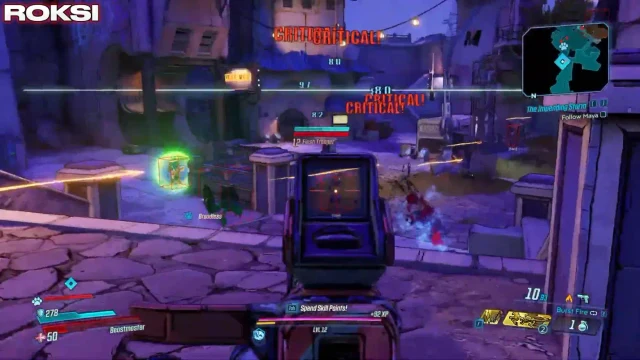
Aim Explained: The ten Soft Aim Options on the listing — activation, bones, visibility, and distance — without undetected marketing.
Aim FOV and Draw FOV as listed soft aim controls — how to read them without assuming bigger is better.
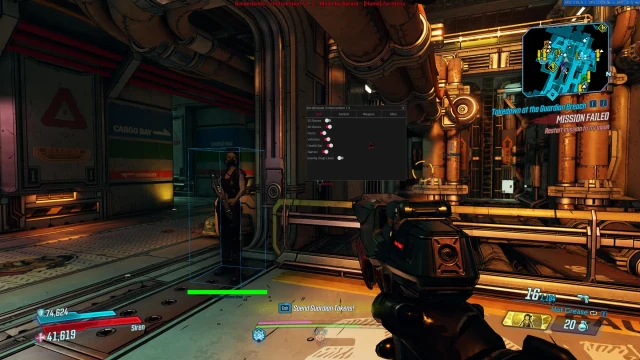
Aim Smooth and Bone Selection (Head / Chest / Closest) as feel settings — not stealth or crit guarantees.